
The back office, page by page
Everything you'll use, before you use it.
Crush Website is two things: the website your guests see, and the back office where you run it. Here is that back office, screen by screen, exactly as owners use it. Nothing here is a mock-up.
No account to start. Try every screen below on a starter site of your own.
Click it. Change it.
Your site, exactly as guests will see it, with everything on it ready to change. Click any words and type. Tap a photo to swap it or fix it. Nothing goes live until you press Publish.
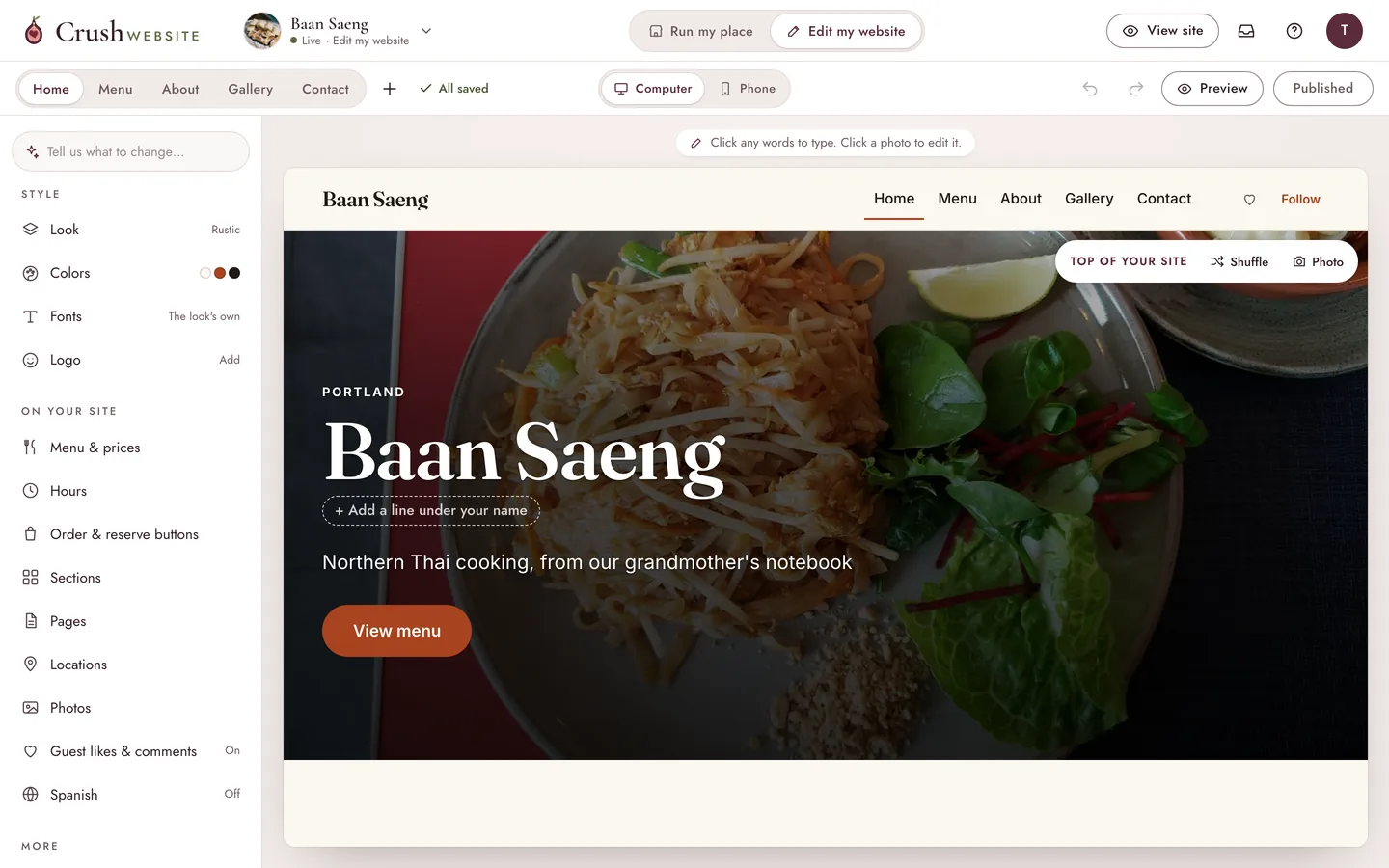
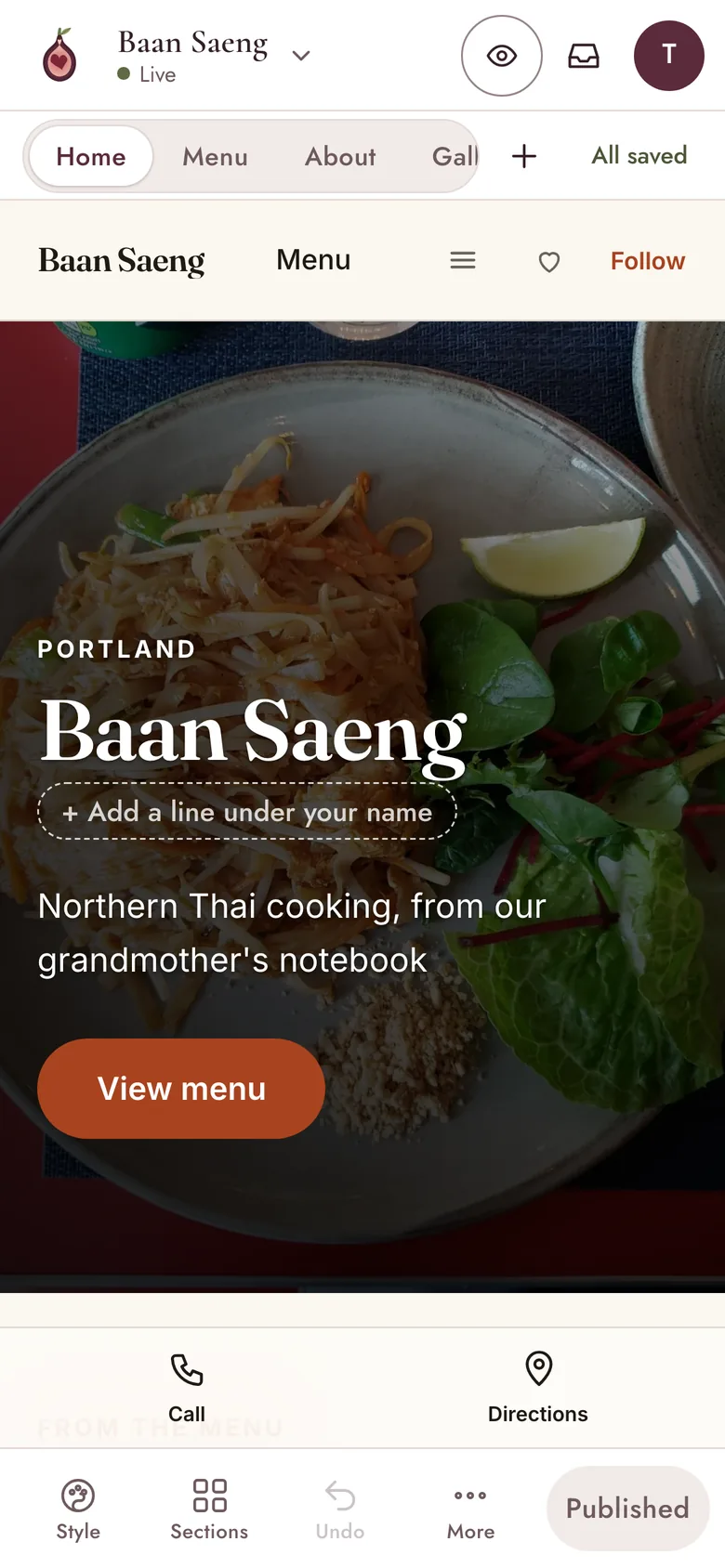
- Words and photosClick anything on the page to change it, right where it sits.
- Sections and pagesAdd a gallery, reviews, a catering page or events. Move them, hide them.
- The lookColors, fonts and eight looks. Switch the look and every word and photo comes along.
- Order, Reserve, CallButtons that open the tools you already use. We never take a cut.
- English and SpanishTurn on Spanish and guests switch languages on every page.
- Undo and previewUndo any change. See it on a computer or a phone before it goes live.
The daily jobs, one tap each.
The other side of the back office is for running the place: today's buttons up top, the menu, hours, messages and catering. Managers and staff you invite see only this side.
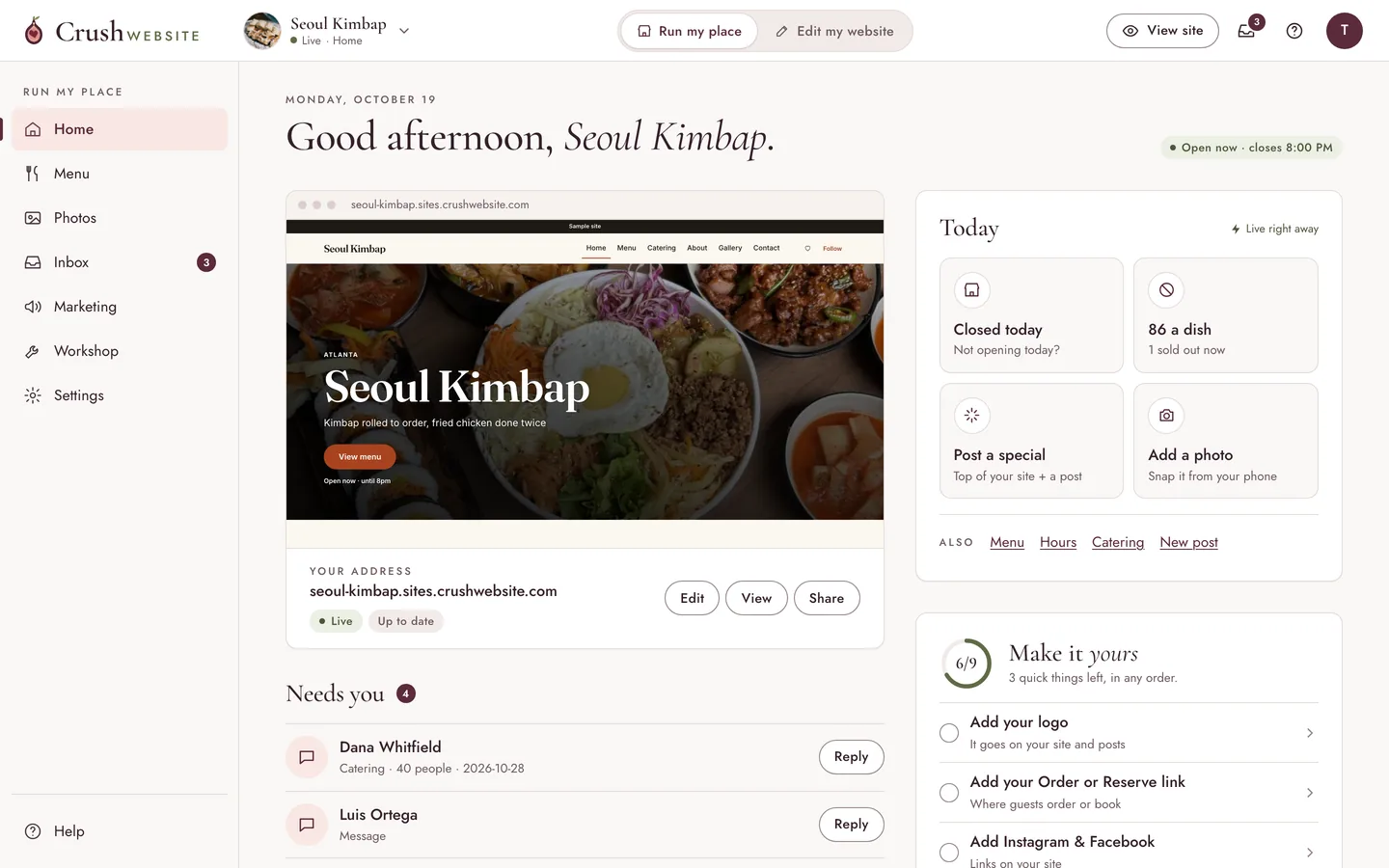
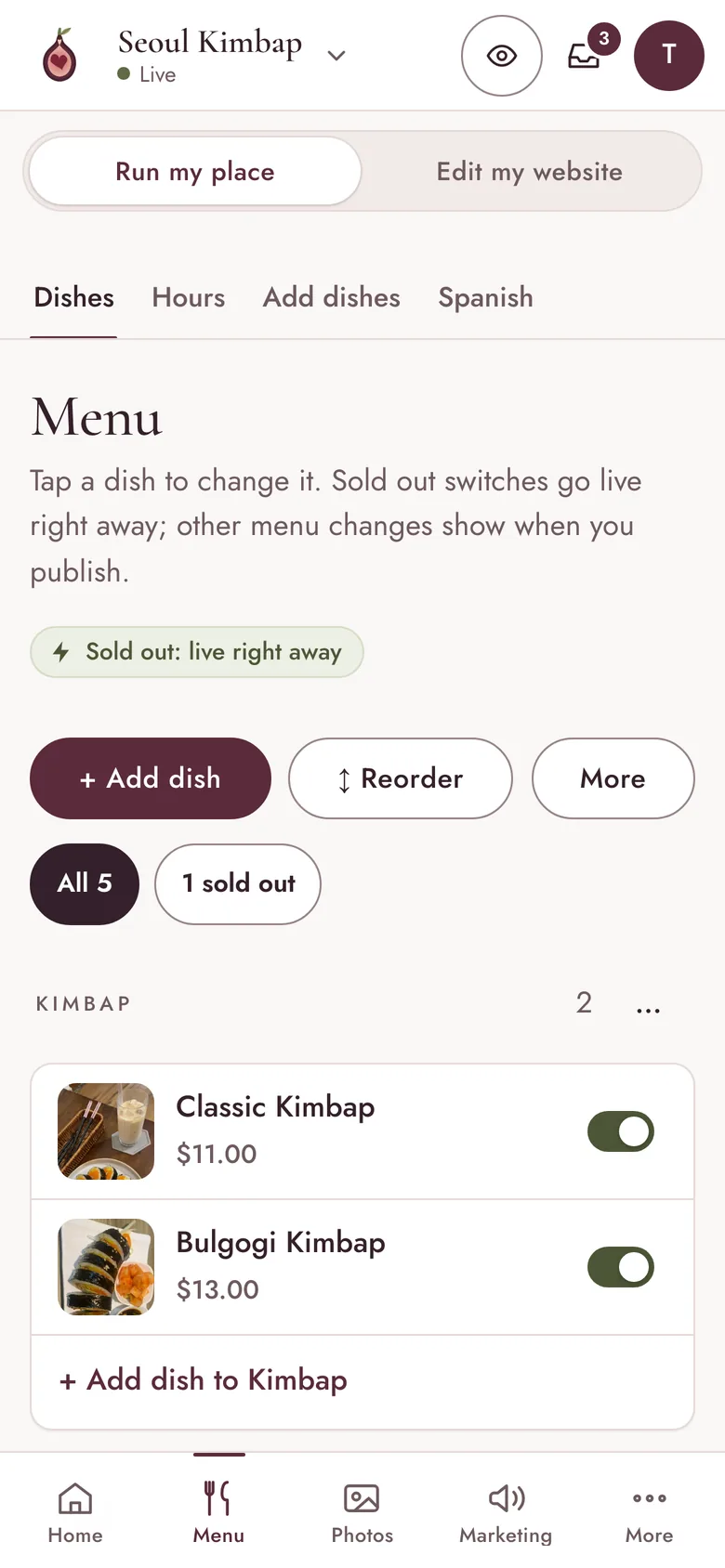
- TodayClosed today, 86 a dish, post a special, add a photo. Each one is a single tap.
- Menu and sold outMark a dish sold out and it shows on your site right away.
- Hours and holidaysChange tonight's hours or close for a holiday from your phone.
- InboxMessages and catering requests from your site, in one place, with email alerts.
- Catering and quotesTurn a request into a quote and follow it until it's booked.
- Guests and numbersLikes, comments and followers, and plain visitor numbers.
Photos that sell the dish.
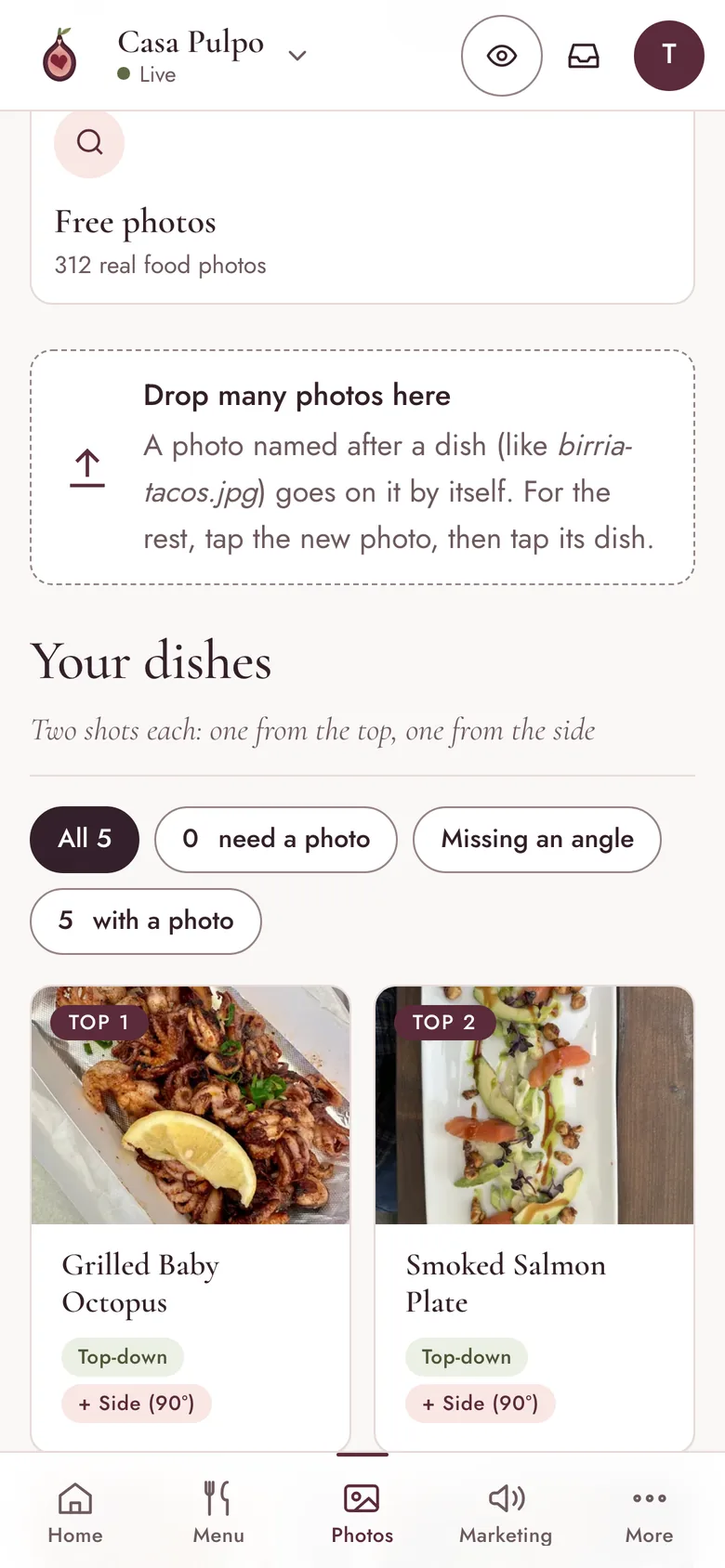
Every photo on your site in one place, with the editing tools built in. No other app, no designer: crop it, brighten it, clean it up and put it back, all inside Crush Website.
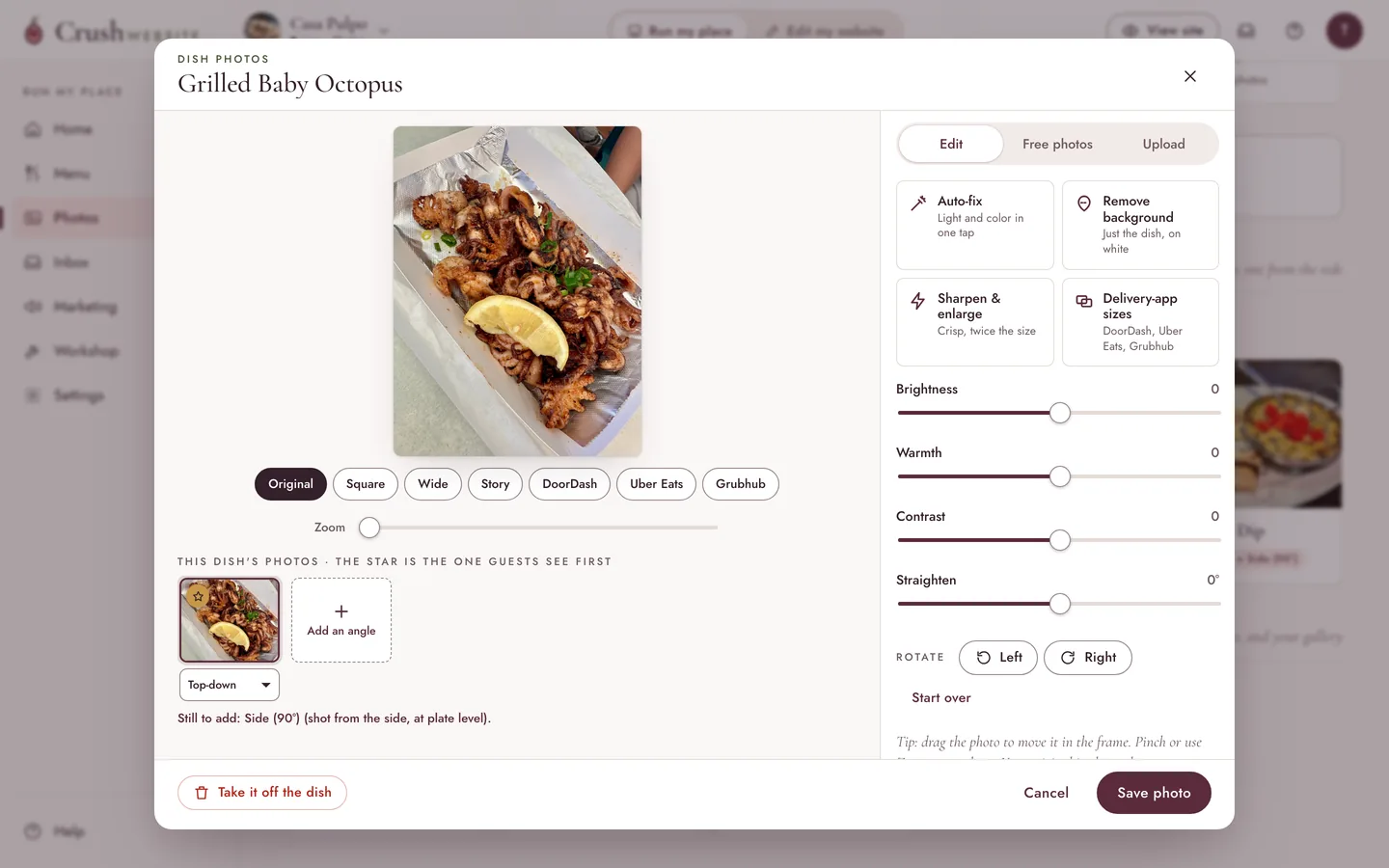
- Crop and straightenSquare, wide or tall, with the dish where you want it.
- Delivery-app sizesOne tap makes the sizes DoorDash, Uber Eats and Grubhub ask for.
- Brighten in one tapAuto-fix lifts a dark kitchen photo. Fine-tune it if you like.
- Remove the backgroundJust the dish, on white, for menus and delivery apps.
- Sharpen and enlargeA soft phone photo comes back crisp and big enough to use.
- Two shots per dishOne from the top, one from the side, plus a free library of food photos.
Your own .com, and email at it.
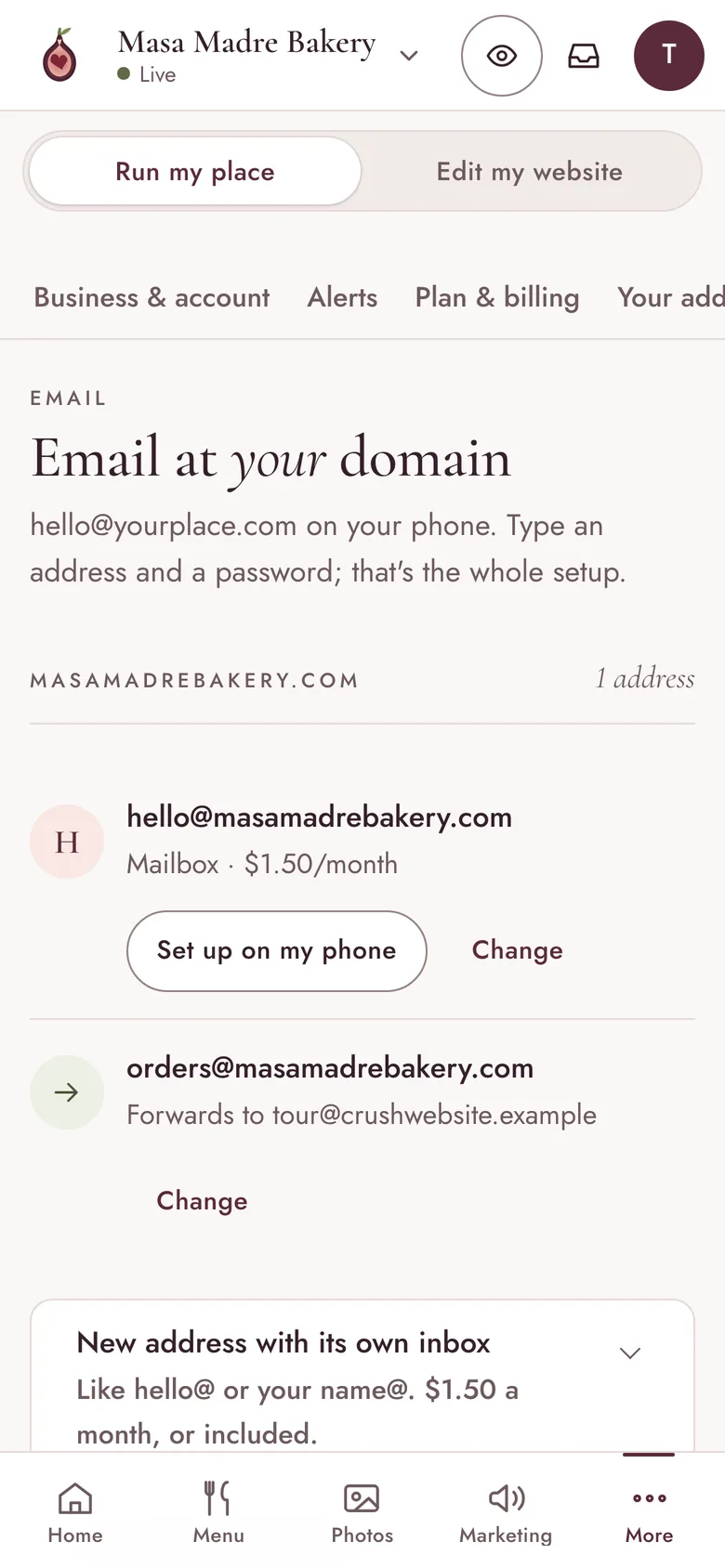
Every site starts on a free Crush Website address that always works. When you want your own name, search for it, buy it and connect it without leaving the back office, then set up email at it.
Opening soonConnecting a domain you already own works today. Buying a new one in the app opens soon, and so does email at your domain.
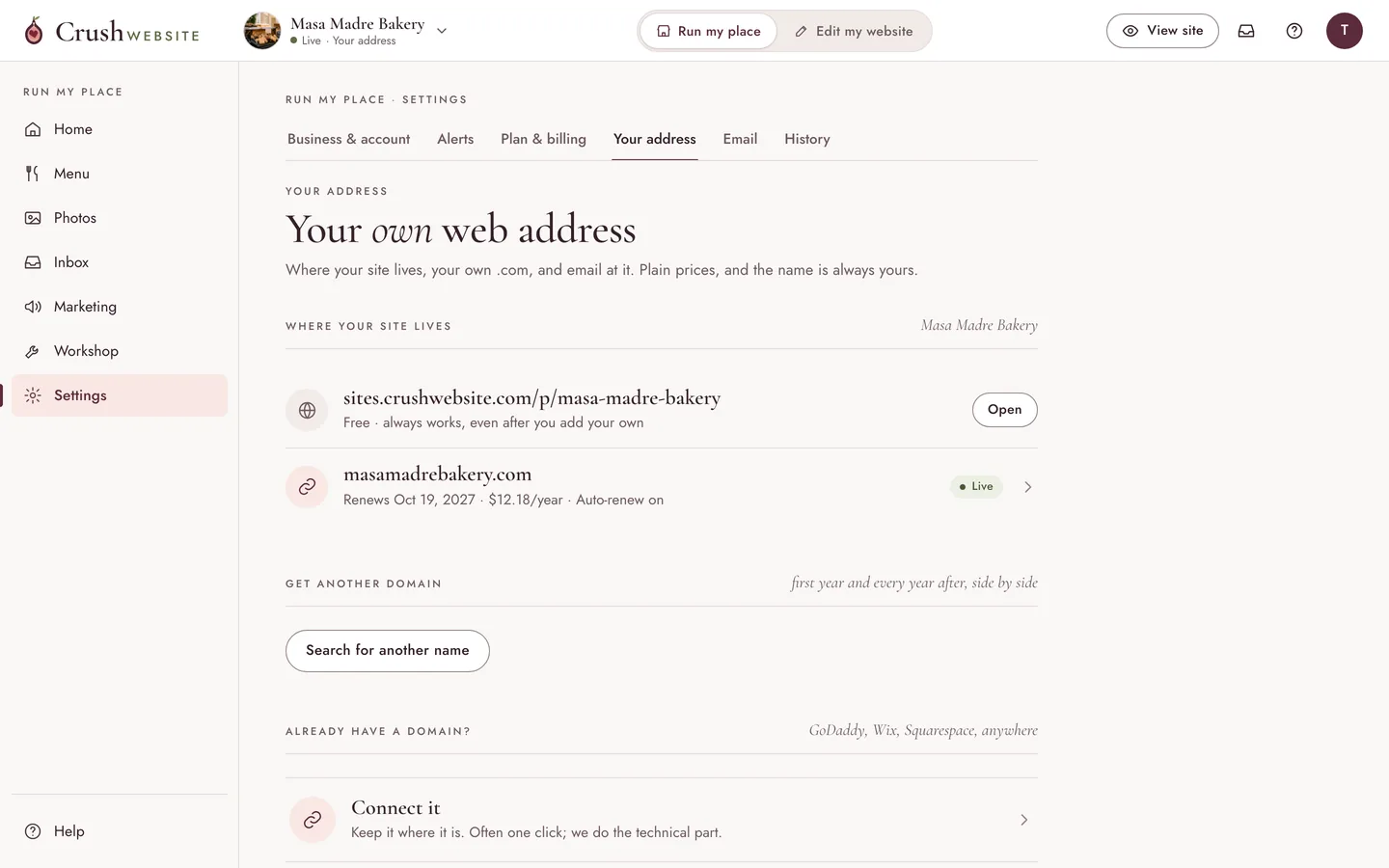
- Search a nameIdeas from your name and city, with the first-year and renewal prices side by side.
- The name is yoursYou are the registrant, so the domain belongs to you, not to us.
- Set up for youWe write the DNS records and secure it with HTTPS. You watch it go live.
- Already have one?Connect a domain you own. We show you the records and check them for you.
- Email at your domainhello@yourplace.com, with forwarding, or keep Google or Microsoft.
- Proof of ownershipA domain only opens your site once it points at us, so nobody can claim yours.
Try it on your own place
Every screen above, one click away.
Start on a ready-made site for your kind of place and open any of these screens. Make an account only when you want to keep it.

v.
Posts from your dishes, on a calendar.
Turn a dish photo into a post for Instagram, Facebook or TikTok, pick the day and the time, and see the whole month at a glance: what's going out, what already went, and what's waiting on you.
Opening soonPosting straight to Instagram, Facebook and TikTok turns on as each platform approves us. Until then, the calendar reminds you when it's time to post, and your post is ready to share.